
Solutions
AI Furniture Product Photography
To create furniture product images with AI, upload a photo or model of your product to Mimerra: the product is placed in a room designed with AI and exported as a lifestyle image for catalogues, e-commerce or social media. Fabric and colour variants come from your own swatches, without a shoot. A single render is 1 credit at 1K, 2 at 2K and 3 at 4K; Edit Render costs 1 credit for each fabric or colour change. Credits are only used when an image is produced.
How it works in 3 steps
- 1
Add the product
Add the product photo or model to My products and upload your fabric and finish swatches.
- 2
Choose the room
Design a room or upload a photo of the customer's room, then place the product in the scene.
- 3
Export the images
Download the room image, the variants and catalogue angles, or create a video from the same product.
Example: plain-background product image → product in a room
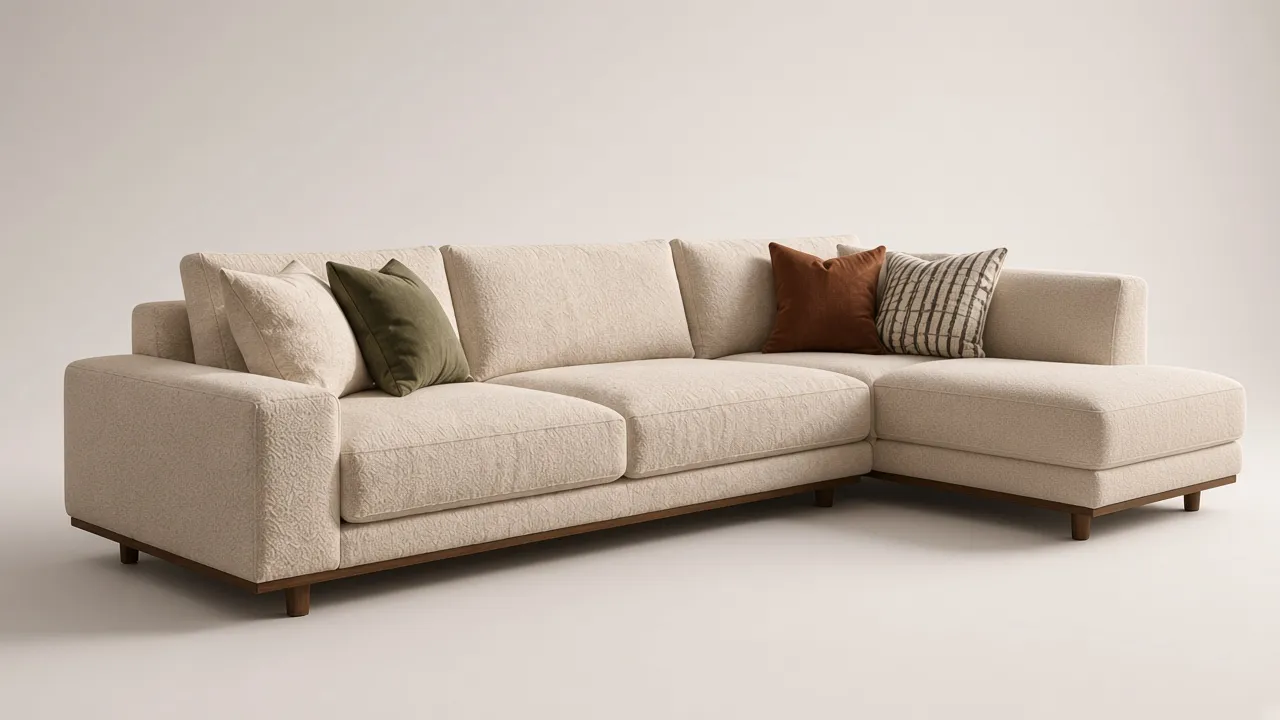
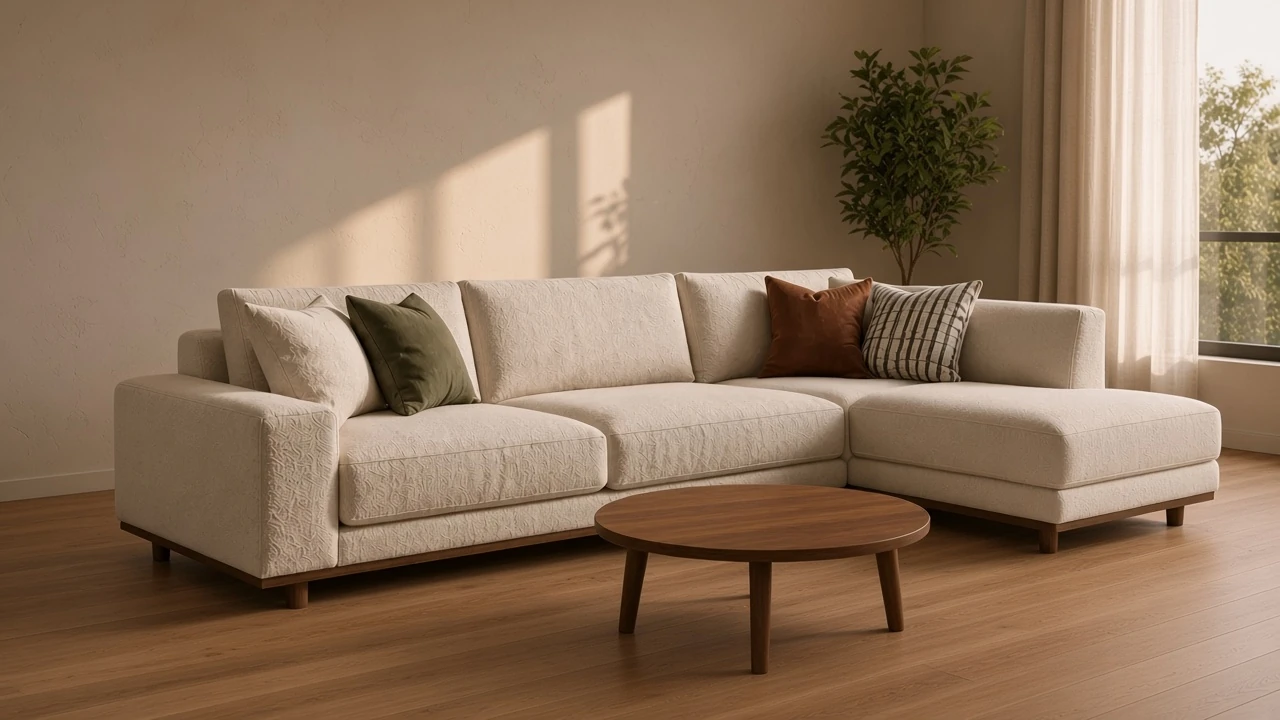
Mimerra showcase example: the same product as a catalogue image and then inside a room.
Not every product and variant gets a shoot
- The sofa comes in eight fabrics but only one was photographed for the catalogue
- Building a set and shooting delays a collection launch by weeks
- A plain-background photo sells the product but not the feeling of the room
With Mimerra
- Furniture lifestyle images from a product photo: the product inside a designed room
- AI furniture colour variants and fabric changes from your own swatches
- Plain-background cut-outs and extra angles for catalogues and e-commerce
- A promo video and a product sheet from the same product
Key capabilities
Generate Render from Your Own Models
Add your products to the library, place them in a scene and render them in a room: virtual furniture placement with your real catalogue.
My swatches
Upload fabric, wood and metal swatches, assign them to parts of the product and render each variant.
Cut-outs and catalogue angles
Get a plain-background catalogue image and other angles of the product, ready for a store page or listing.
Frequently asked questions
Does my product stay exactly the same in the image?
Product placement uses the shape and proportions of the product you upload. Before publishing, compare details such as stitching, legs and fabric texture with the real product, and fix them in Edit Render if needed.
I have photos but no 3D model. Is that enough?
Yes. You can start from a product photo, and you can also generate a 3D model from the image with Design Product & Model.
Can I show the product in the customer's own room?
Yes. Upload a photo of the customer's room, place your product in it and produce the presentation and quote from the same place.
How does pricing work?
With credits: credits are only used when an image or file is produced, and refunded if a generation fails. There is no subscription, and purchased credits never expire. Current packages are on the Pricing page.
Related pages
Related guides
Visualise your collection without waiting for a shoot
Explore the sample project without signing up, or upload a product photo and get your first room image.