
3ds Max AI render plugin: render your scene without leaving Max.
To render with AI in 3ds Max, install the Mimerra 3ds Max plugin: drag the .mzp file from the ZIP onto your scene, open the Mimerra panel and sign in, pick 1K, 2K or 4K and start the render. The image is generated on Mimerra's servers from your scene's camera and appears in the panel; 4K output arrives in about 1–2 minutes on average. The plugin runs on Windows with 3ds Max 2023–2026, works with Corona and V-Ray scenes and is free; only the render uses credits from your account, and failed renders never cost credits.
- Start with a free account — 10 credits on signup
- 1-minute setup (drag & drop .mzp)
- Failed renders never cost credits
Windows · 3ds Max 2023–2026 · No credit card required
Version compatibility
The plugin is tested and shipped against the setup below.
| 3ds Max versions | 2023 – 2026 |
|---|---|
| Operating system | Windows |
| Render engine | Corona & V-Ray |
| Package format | .mzp (drag & drop install) |
| Runtime | 3ds Max's embedded Python 3.9 / 3.10 (no separate install) |
The current supported version range comes from the plugin's own version file (extension-version.json) and setup guide; check the download page before installing.
Install in 4 steps
No complicated setup. Install the plugin, open your scene and start rendering.
- 1
Download the plugin
Download the Mimerra 3ds Max plugin as a single ZIP file with the plugin and a setup guide inside.
- 2
Install in 3ds Max
Extract the ZIP and drag the .mzp file onto your 3ds Max scene. Installation starts instantly.
- 3
Open the Mimerra plugin
Open the Mimerra panel inside 3ds Max and sign in with your account.
- 4
Start rendering
Pick your scene, set the resolution and hit render.
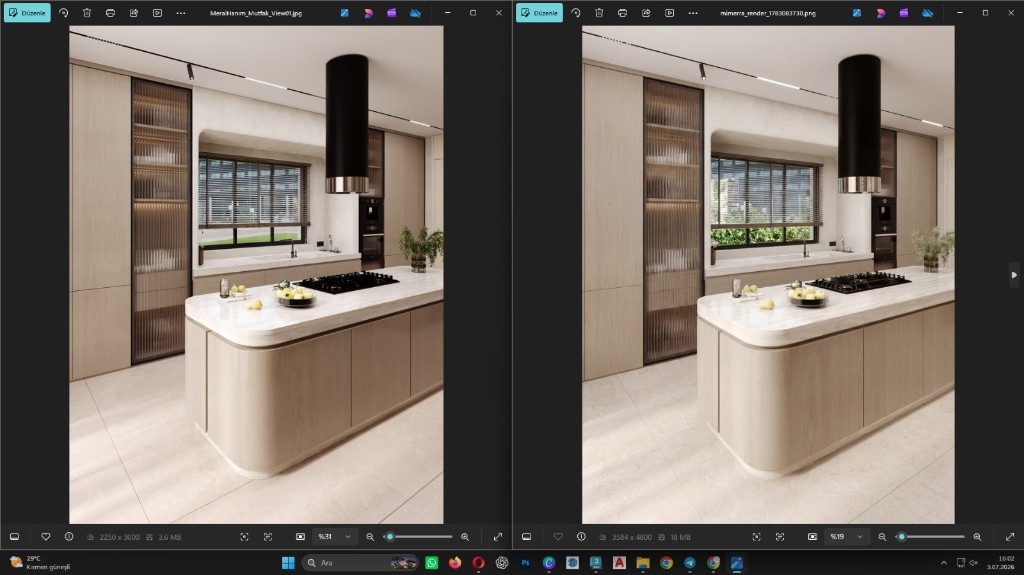
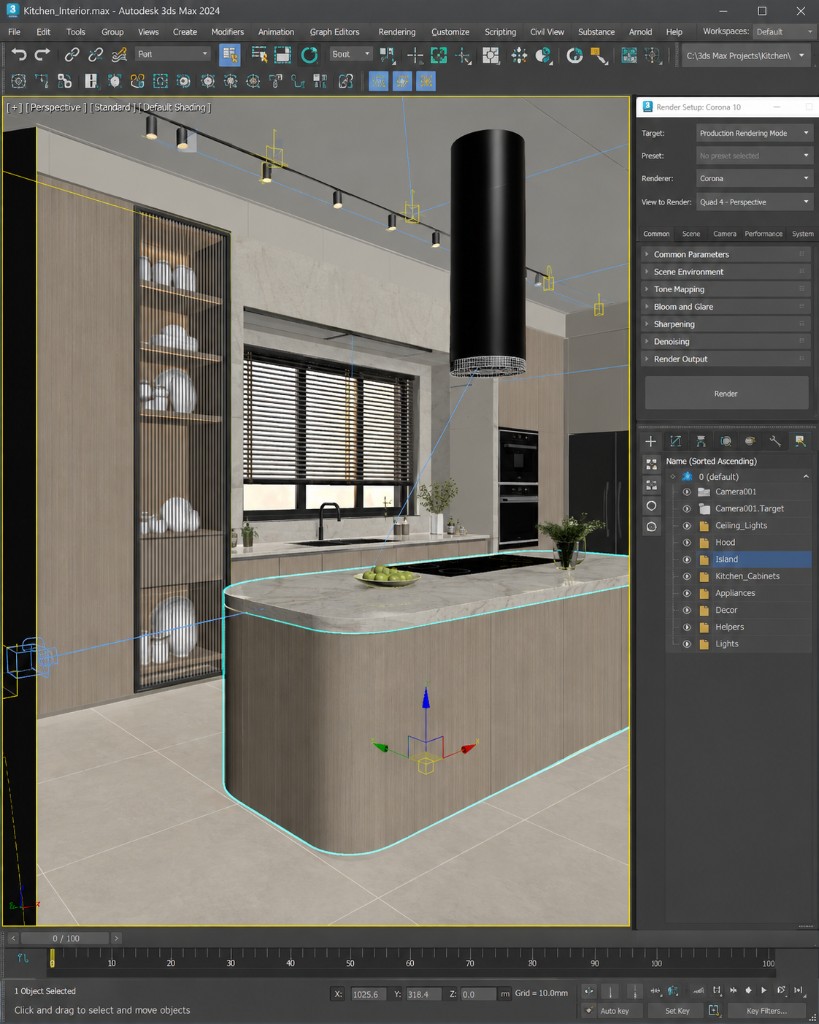
Example results
From the 3ds Max viewport to a Mimerra AI render: same scene, same camera.

Frequently asked questions
Does 3ds Max use AI for rendering?
3ds Max's own renderers (such as Arnold) and Corona/V-Ray use classic ray tracing. The Mimerra plugin turns your scene's camera view into a photorealistic render with AI, with no separate render setup.
Which 3ds Max versions are supported?
3ds Max 2023 – 2026 on Windows. The plugin runs on 3ds Max's embedded Python, so there is nothing else to install.
Do I have to drop Corona or V-Ray?
No. The plugin works with Corona and V-Ray scenes; use Mimerra alongside your current workflow for fast concept, alternative and revision images.
Is the plugin paid?
The plugin is free. Renders use credits, shared between the web app and the plugin, and failed renders never cost credits. Current packages are on the Pricing page.
How long does installation take?
About a minute: drag and drop the .mzp file onto your 3ds Max scene, open the panel and sign in.
Related pages
Every new user gets a one-time 10 free credits on signup. The plugin itself is free — only the render consumes credits from your account, shared with the web app.
Try a render from your own scene
Download, install, sign in, render — all on one page, with the setup guide.
Download the plugin →Windows · 3ds Max 2023–2026 · No credit card required