
Solutions
Render to Video With AI
To make a video from a render, pick a video template in Mimerra and upload your image: the AI produces a short video with the camera move or transformation defined by the template. You can use a render, a room photo or a product photo, with no animation software or camera path. A 5-second video is 4 credits, and credits are only used when a video is produced. The video is AI-generated: the camera interprets areas that are not visible in the source image, so review each video before sharing it.
How it works in 3 steps
- 1
Pick a template
Architectural ad, home tour, transformation or product video: choose by what you want to show.
- 2
Upload the image
Upload your render, room photo or product photo, and choose the duration where offered.
- 3
Download the video
Watch it, regenerate if needed, then download it or send it to the client.
Example: first and last frame of a transformation video
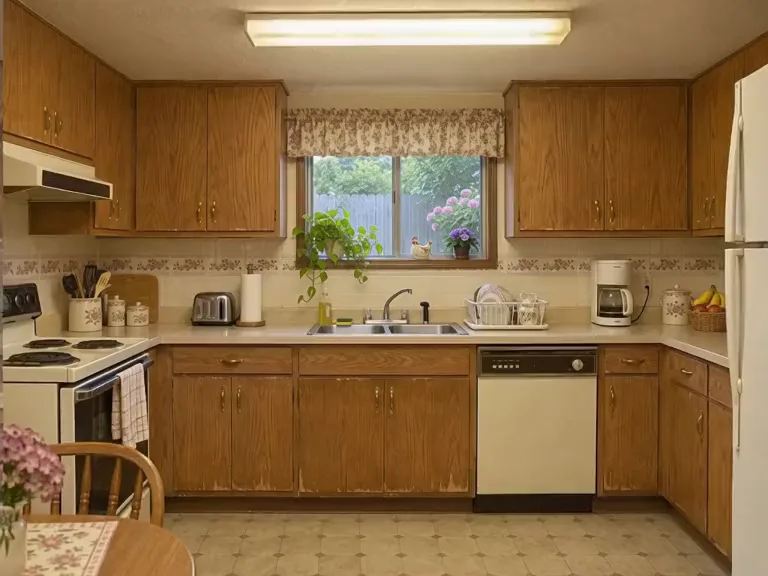
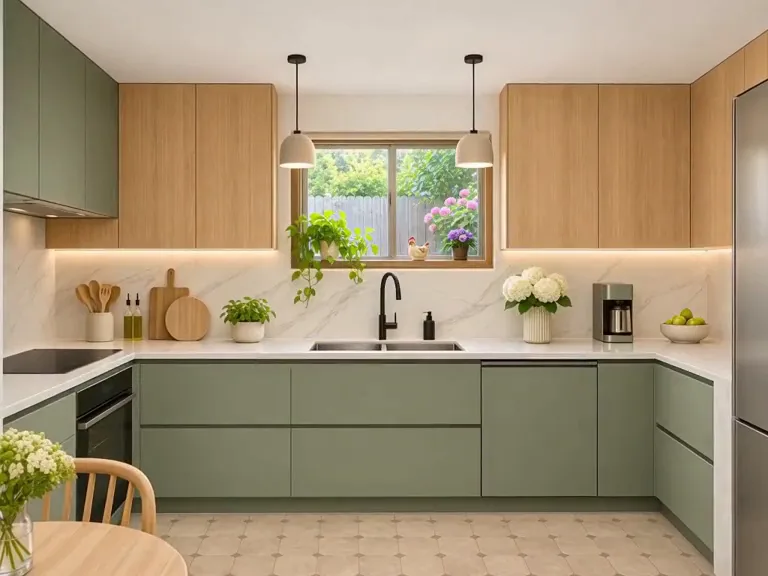
Two frames from the preview video of the "Old Kitchen to Modern Kitchen" scenario; images generated with AI.
Clients want video, but there is no animation budget
- Setting up a camera path and rendering frame by frame takes days
- Still images are no longer enough for social media and client presentations
- Commissioning an agency video for every product or project is expensive
With Mimerra
- A short video from one render or photo; the camera move comes from the template
- Templates for architectural ads, home tours, before-and-after and product promos
- Short videos ready for social media and client presentations
- Render, video and quote in the same project
Key capabilities
Ready-made video templates
Pick from templates such as Architecture Ad, One-Take Seamless House Tour, 4-Stage Transformation Video and Self-furnishing Room.
Product videos
Product 360° Spin and promo video templates that start from a furniture product photo.
Walk inside the render
Step into your render, explore the space in 360° or on foot, and send the client a link.
Frequently asked questions
How long is the video?
Templates produce short videos; a 5-second video is 4 credits. Longer options appear in the template, and the credit cost is shown before you start.
Can I use a render from other software?
Yes. A Mimerra render, a render from another tool or a real photo can be the source.
Is this an interior walkthrough?
Templates create a short camera move from one or a few images. To move freely inside the space, use the Walk Inside the Render scenario.
How does pricing work?
With credits: credits are only used when an image or file is produced, and refunded if a generation fails. There is no subscription, and purchased credits never expire. Current packages are on the Pricing page.
Related pages
Related guides
Turn your render into a video
Explore the sample project without signing up, or upload an image and create your first video.