
Solutions
AI Bedroom Design
To design a bedroom with AI, upload a photo of the room to Mimerra and choose or describe a style: a new bedroom image is generated while the walls, window and door are kept. Design My Room produces 3 alternatives at once (3 credits); a single render is 1 credit at 1K and 3 credits at 4K. The same flow works for kids' rooms, teen rooms and dressing rooms. Credits are only used when an image is produced. The image is a concept, so measure the room before buying furniture.
How it works in 3 steps
- 1
Upload the photo
Shoot the room from the door, as wide as possible and in daylight.
- 2
Pick a style
Modern, classic, warm or your own description; for a kids' or teen room, add the age and what is needed.
- 3
Compare and revise
See the alternatives side by side, refine the one you like by typing, and get a share link or cost report.
Example: empty bedroom → modern bedroom
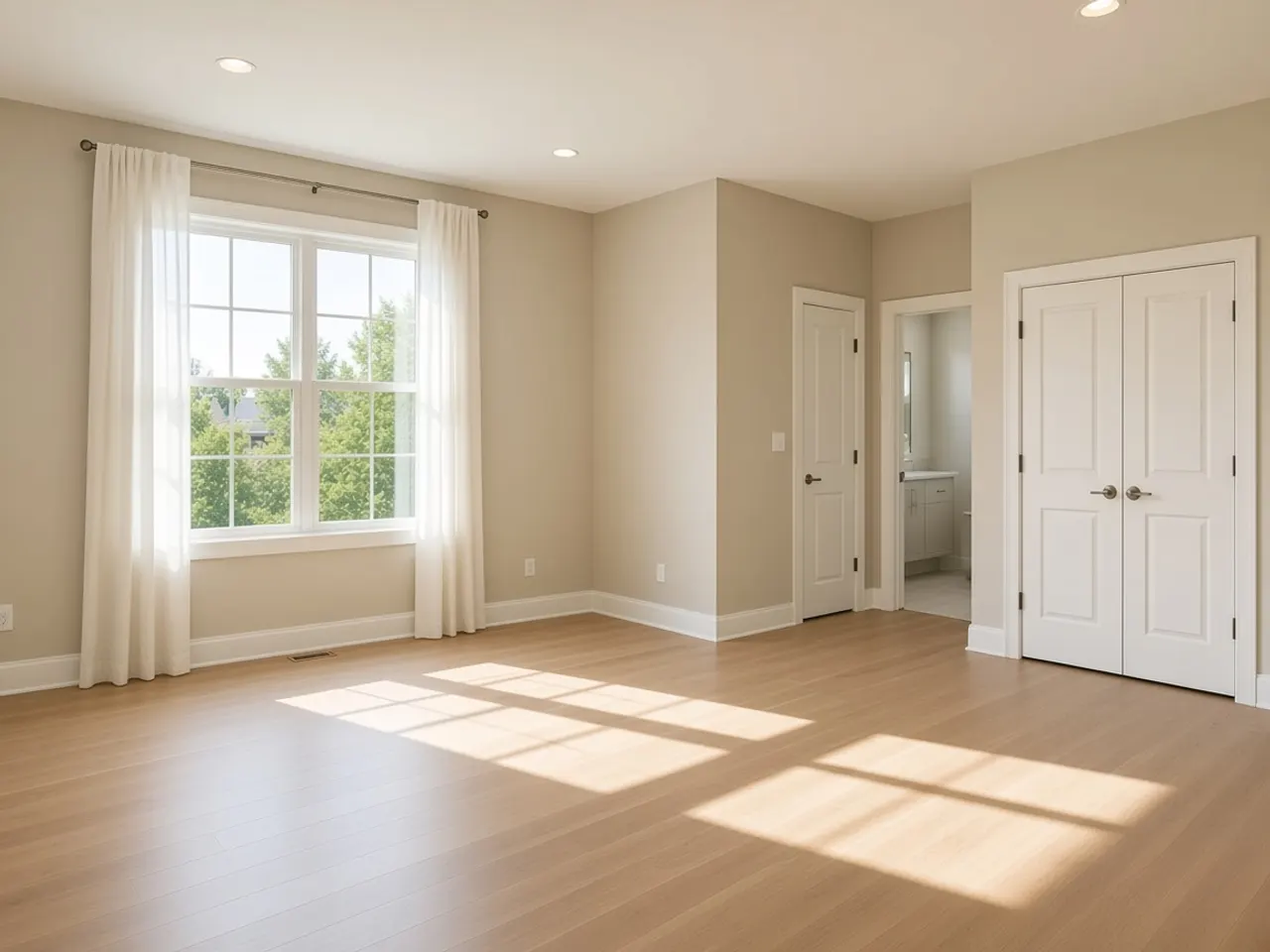
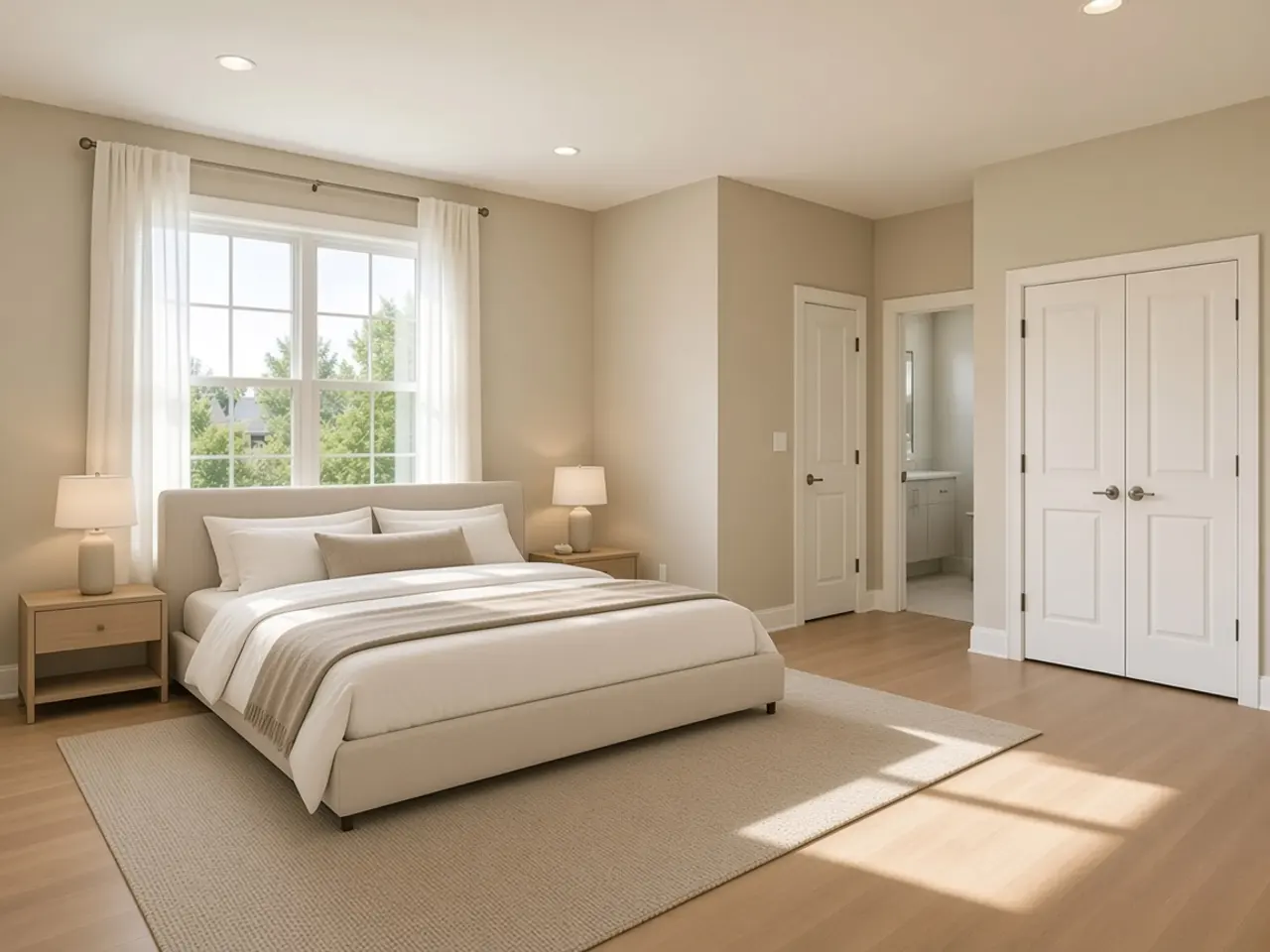
Mimerra showcase example: same windows, doors and floor; bed, nightstand, rug and textiles added.
Where bedroom decisions get stuck
- It is hard to picture whether the bed, wardrobe and dresser will fit the room
- A showroom set looks different in your own light and wall colour
- A child's room keeps changing, and every change means deciding again
With Mimerra
- A new design from a bedroom photo, keeping the room structure
- 3 alternatives at once (Design My Room, 3 credits)
- The same flow for kids' rooms, teen rooms and dressing rooms
- Revise wall colour, headboard, bedding and lighting by typing
Key capabilities
Furnish an empty room
Upload a photo of the empty room and see it furnished with a bed, nightstands, rug and lighting.
Refresh the room you have
Start from a photo of the furnished room and edit with requests like "keep the bed, make the wall light green, change the wardrobe".
Real products and budget
Find real products similar to the furniture in the design, and see an approximate budget with the product and cost report (2 credits).
Frequently asked questions
Are my room size and window position kept?
Yes. The walls, window and door in the photo are the basis. It is still a visual concept, so check bed and wardrobe dimensions in your room before buying.
Can I design a kids' room or teen room?
Yes. Upload a photo of the room and type the child's age and needs such as a study corner or bunk bed.
Can I keep my bed and change the rest?
Yes. Say which furniture stays; wall colour, textiles and the other furniture are redesigned around it.
How does pricing work?
With credits: credits are only used when an image or file is produced, and refunded if a generation fails. There is no subscription, and purchased credits never expire. Current packages are on the Pricing page.
Related pages
Related guides
See your bedroom before you buy
Explore the sample project without signing up, or upload a photo of your room and get your first design.